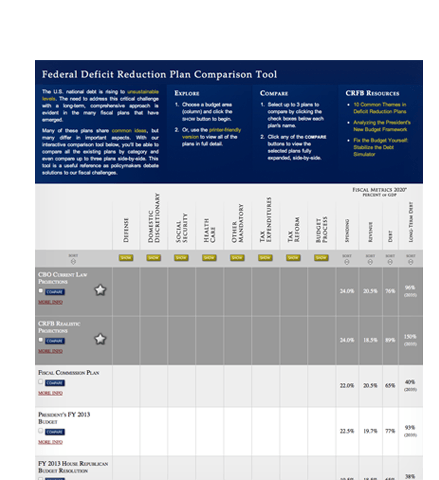
CRFB's Comparison Tool provides side-by-side comparisons of nearly 50 deficit reduction plans that have been proposed by think tanks, members of congress, experts, and advocacy groups. The project goal was to develop a web-based alternative to a static PDF document. The result is a dynamic table that allows users to expand and collapse cells to show more or less information, and create custom side-by-side comparisons.
Client
Committee for a Responsible Federal Budget, Washington DC
Nonprofit Organization | Think Tank
Audience & Topics
General Audience, Voters, Researchers, Policy Advocates, Policymakers, Journalists and the Media
Government | Public Policy | Reform | Politics
Launched
May 2011
Roles, Deliverables and Methods
Information Architect
Layout Design
Interface Designer (UI/UX)
Design Comps, Custom Form Elements
Lead Developer
Production Website with Content Management System
Webmaster
Functional Enhancements
Technology & Tools
Project Accolades

"To help make sense of the mushrooming number of proposals, the Center for a Responsible Federal Budget has a new interactive tool that allows users to compare the growing crop of deficit-reduction plans out there...It's worth checking out."
-National Public Radio

"The Deficit Comparison Tool from the Committee for a Responsible Federal Budget is the most comprehensive and detailed way to compare the 30 D.C. deficit reduction plans...(yes, we're up to 30 now)...an essential resource for people following the debate over how to raise taxes, cut spending, and slow the growth of entitlements to bring down our long term debt."
-The Atlantic

"The Committee for a Responsible Federal Budget has created a useful tool for comparing the various budget-reform plans."
-The Financial Times

"...a useful online tool to compare nearly three dozen deficit reduction plans..."
-US News & World Report

"Members of the bipartisan debt committee have no fewer than 32 debt reduction plans at their disposal. All they have to do is call up a plan comparison table put together by the nonpartisan Committee for a Responsible Federal Budget. The table offers plans from the far left to the far right and everything in between. It also illustrates common ground in proposals from budget experts and President Obama's fiscal commission."
-CNN Money
Features
A Table, Tamed.
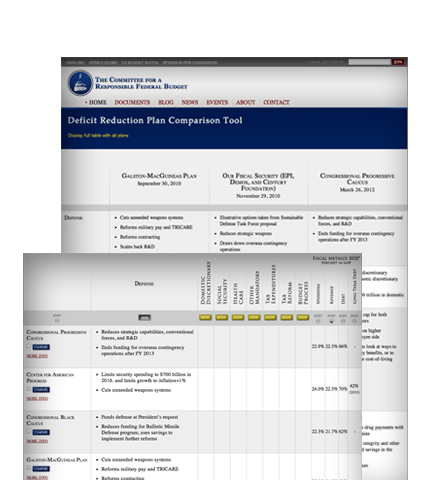
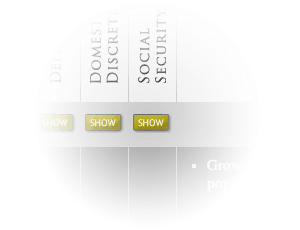
The project's greatest challenge was figuring out how the information — nearly 50 plans forming 45 pages of text — could be usefully presented in an aesthetically pleasing and highly functional manner. The solution was an interactive table where the main columns can be expanded. The effect is powered by custom written jQuery.
Side-by-Side Comparison Views
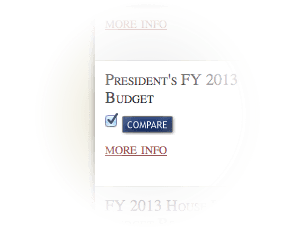
Similar to a product comparison tool, the site allows visitors to produce a custom table that compares the complete details of up to three plans side by side.
Sorting as Easy as 1, 2, 3
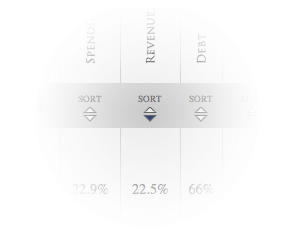
Most of the deficit reduction plans featured on the site provide numeric projections of their impact on such things as revenue, spending and government debt. The Comparison Tool allows users to sort the plans based on those projections. The function was accomplished using the Tablesorter.js plugin along with custom graphics to match the rest of the interface.
Printer-Friendly Comprehensive View
Before the Comparison Tool was built, all of the data was presented in a PDF file. That was handy for occasional printing needs, but updating and reposting the file was a maintenance burden. The Comparison Tool website eliminated that burden without sacrificing function. Visitors are still able to produce and print the complete table. It's all done dynamically using a secondary template. As soon as the website is updated, so is the print version, automatically.
Content Management
The website is powered by the CMSense content management system, a lightweight and highly flexible CMS. This allows for nearly 100% of the tool's content to be maintained without developer assistance. Content managers can add new plans, revise data/content in the existing plans, and remove plans from the master table. They can also "pin" featured items to the top of the table, separate the plans into categories, and provide links to other resources.